Tournament Bracket Guide
Bracket Creator: Build Tournament Brackets That Are Easy to Run and Share
Learn how to use a bracket creator to set up single-elimination, round-robin, and custom tournaments, score results, and share brackets for sports, schools, gaming, and office events.
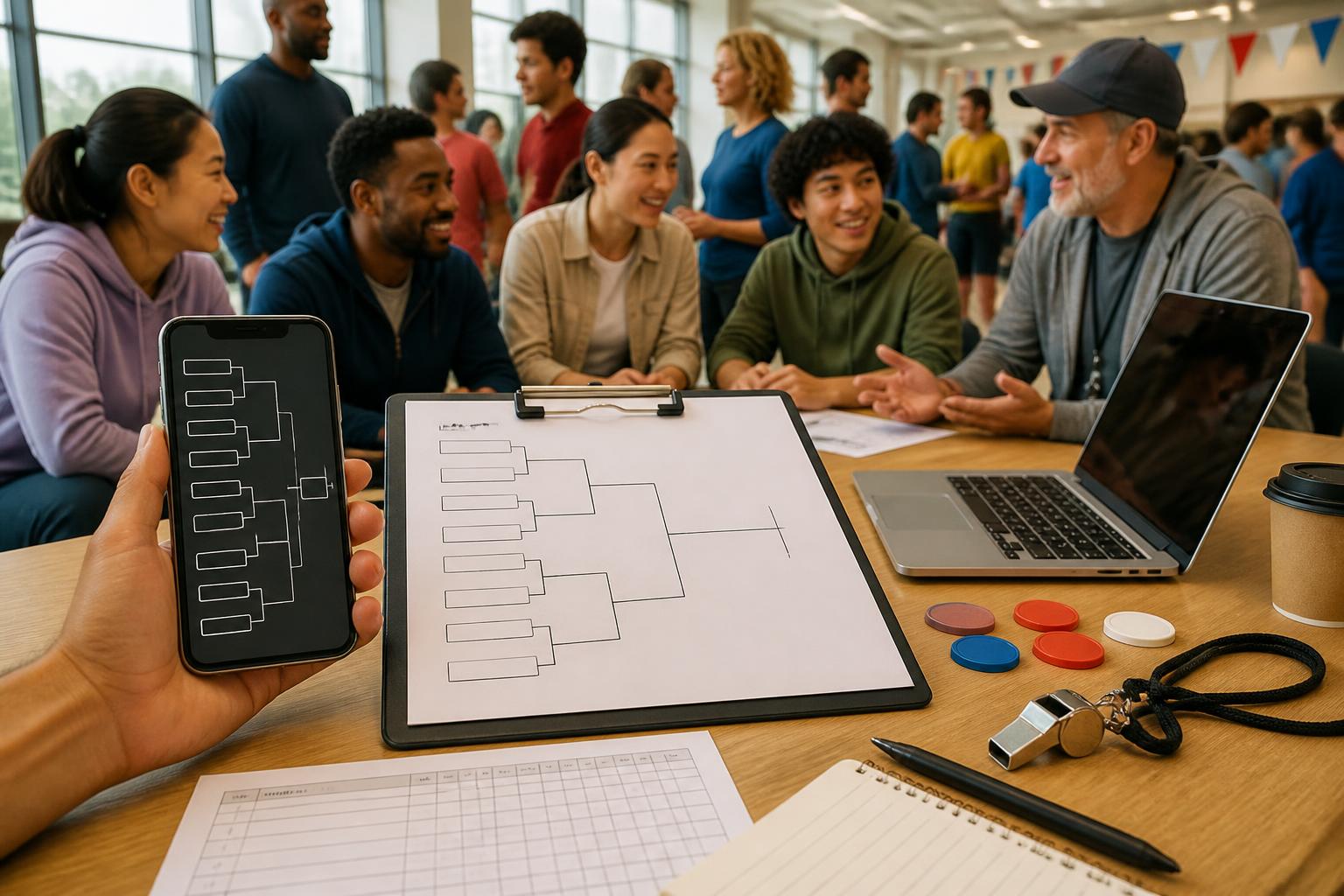
If you need a fast way to run a competition without messy spreadsheets, a bracket creator is the easiest place to start. Whether you are organizing a school event, a neighborhood sports day, a gaming showdown, or an office challenge, the right bracket maker helps you set the matchups, track winners, and share results in minutes.
This guide walks through the main bracket formats, how to set up your tournament step by step, and the scoring habits that keep everything moving. If you want a bracket creator online that feels simple from the first round to the final, you are in the right place.
For ongoing tips and tournament ideas, you can also browse Brakora Guides.
Choose the bracket format first
Before you enter names, decide how the tournament should work. A good bracket generator is flexible, but the format matters most because it affects pacing, fairness, and how many matches you need to run.
| Format | Best for | Why it works | Watch out for |
|---|---|---|---|
| Single-elimination | Sports, gaming, school contests, quick office events | Fast to run and easy to follow | One loss eliminates a team or player |
| Round-robin | Small clubs, leagues, classroom groups | Everyone plays everyone, which is fairer in small groups | More matches and more scheduling time |
| Double-elimination | Gaming, competitive club events, bracket-heavy tournaments | Gives teams a second chance | Takes longer and needs tighter tracking |
| Group stage plus knockout | Schools, sports days, multi-team events | Helps narrow a large field before playoffs | Requires a clear tie-break rule |
If you are using a bracket creator free for a one-day event, single-elimination is usually the cleanest choice. If you are planning something where every participant should get more play time, round-robin may be worth the extra setup.
Set up your bracket in a few practical steps
A strong bracket maker online should make setup feel straightforward. Here is a simple process that works for most events.
- List the participants. Add teams, players, classes, departments, or names in the order you want them to appear.
- Pick the format. Choose single-elimination, round-robin, or another structure based on time and number of entries.
- Seed if needed. Put stronger teams apart when you want to avoid early rematches or keep top entries balanced.
- Check the number of rounds. Make sure the bracket fits the field size. If you have an odd number of entries, decide how byes will work.
- Set scoring rules. Define how winners are chosen: points, best-of-three, fastest time, judges’ scores, or head-to-head results.
- Run a test match. Update one result to confirm the bracket advances correctly.
That is the basic workflow whether you are using a bracket maker free tool for a classroom activity or a more structured bracket generator online for a gaming night.
How to choose the right setup for your event
Different events need different bracket styles. A basketball shootout, a trivia night, and a school chess tournament should not all use the same logic. Use the quick guide below to match the format to the event.
- Sports: Single-elimination works well for short events; double-elimination is better when you want more competitive balance.
- Clubs: Round-robin is useful when the group is small and everyone should face multiple opponents.
- Schools: Keep the structure easy to explain to students and teachers, especially if the event has time blocks.
- Office events: Simple brackets are best for lunch-hour or after-work competitions.
- Gaming: Bracket generator online tools are popular because they make quick updates and rematches easier to manage.
- Casual competitions: Pick the format that reduces confusion. A clear bracket creator is more valuable than a complicated system.
If your event has many participants and limited time, simplify the path to the final. If your event is small but important, build in more rounds so everyone gets more chances to compete.
Bracket and scoring tips that keep the event moving
The best brackets are not just organized; they are easy to score in real time. These habits help prevent delays and disputes.
- Write the scoring rule before the first match. Everyone should know how a winner is decided.
- Use one scorekeeper. Even a simple event runs better when one person updates results consistently.
- Keep match labels clear. Name each round in a way that is easy to announce.
- Plan for ties. Decide in advance whether you will use overtime, a tiebreaker question, extra points, or a rematch.
- Update results immediately. Waiting until the end makes mistakes more likely.
- Double-check byes and advances. In a bracket creator, a bye should move the next participant forward cleanly.
Tip: If your tournament includes both scoring and progression, make sure the same person or device updates the bracket each time. That small habit prevents confusion when a match finishes quickly and the next one starts right away.
For schools, clubs, and office events, it also helps to keep a printed backup or a shared note with match winners in case the room gets busy.
Sharing checklist for teams, players, and spectators
Once your bracket is ready, sharing it well matters almost as much as building it. A bracket creator online should make it easy for people to see where they stand and when they play next.
- Confirm the event name and date are correct.
- Check that every participant is spelled correctly.
- Make sure the bracket is readable on a phone.
- Verify that the first-round matchups are complete.
- Review any byes, seeded spots, or auto-advances.
- Share the bracket with players, judges, or organizers before the event starts.
- Keep one person responsible for posting updates after each round.
If you are running a social or school tournament, share the bracket early so people know when to show up and who they face next. Clear updates cut down on repeated questions and help the event run on time.
When a free bracket generator is enough
Not every event needs a complex system. A free bracket generator can be enough for many one-off tournaments, especially when the field is small and the rules are simple.
- Use a free bracket generator when you need a quick setup for a one-day event.
- Use a bracket creator free option when budget matters and the competition does not need advanced planning.
- Use a more polished bracket maker when you want a smoother process for repeated events.
- Use a bracket creator online tool when you need access from a phone, tablet, or shared device during the event.
The key is not whether the tool is free or paid. The key is whether it lets you set the rules clearly and update the bracket without friction.
Soft CTA: build your next tournament with Brakora
If you want a simple way to create, score, and share brackets from your phone, try the Brakora tournament bracket app. It is built for organizers who want a cleaner setup for sports, clubs, schools, office events, gaming nights, and casual competitions.
You can get started here: Brakora on the App Store.
FAQ
What is a bracket creator?
A bracket creator is a tool that helps you build tournament matchups, track winners, and move participants through each round. It is useful for events where people or teams compete until one winner remains.
Is a bracket generator the same as a bracket maker?
Yes, in most cases. People use bracket generator and bracket maker interchangeably. Both usually mean a tool for setting up and managing tournament brackets.
Can I use a bracket creator free for small events?
Yes. A bracket creator free option is often enough for classroom contests, office games, or local club events as long as the format is simple and the number of participants is manageable.
What is the best format for a quick tournament?
Single-elimination is usually the fastest choice because each round cuts the field in half. It is a strong fit for short events, especially when you need results quickly.
How do I share a bracket with participants?
Once your bracket is ready, share the link or screenshot with players and spectators, then update results in one place so everyone can follow the same version.
Can I use a bracket generator online during the event?
Yes. A bracket generator online is helpful when you need to update scores on the fly, especially if multiple people are watching or helping run the tournament.
For more event-ready tournament tips, visit Brakora Guides and see how a bracket creator can help you run your next competition with less stress and more clarity.
Try the Brakora app
Use the app when you want a faster photo-based check before comparing details manually.